Contents
Tags

Can You Run a Local LLM on an iPhone? Yes, With Limits
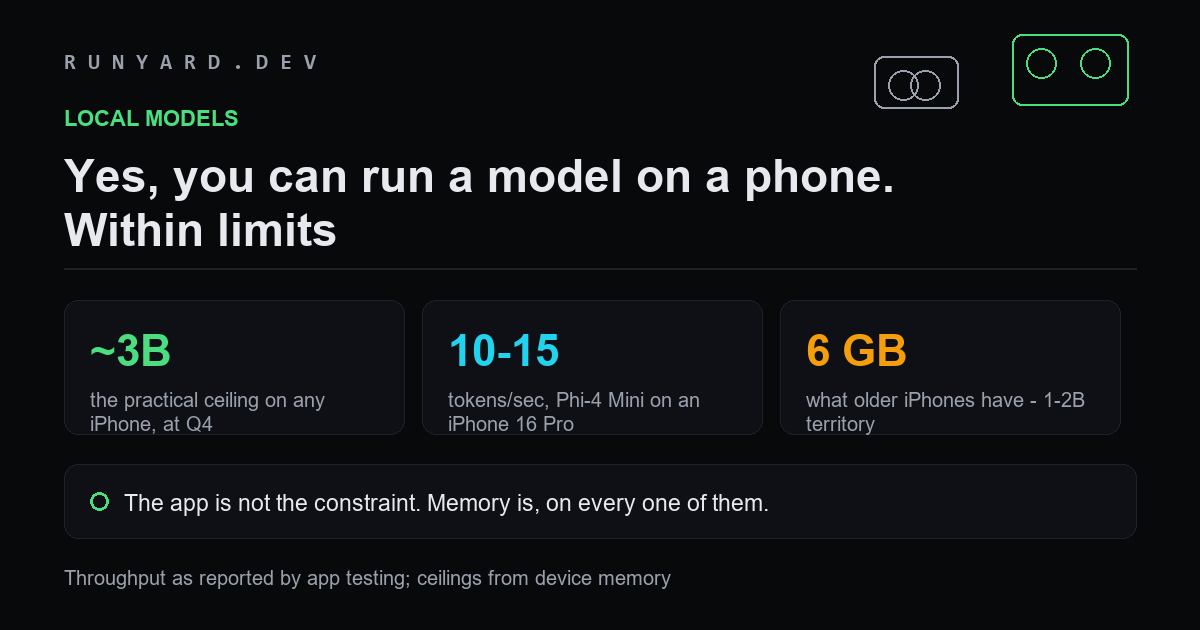
Yes. You can download a model onto an iPhone and run it entirely offline, with no account, no network and no data leaving the device. The apps are mature, several are free, and one is open source.
What nobody tells you clearly is where the ceiling sits, and why changing apps will not raise it.
The apps worth knowing
- ▸PocketPal AI — free and open source, the sensible default. Runs on an iPhone 14 Pro and newer, or roughly any iPhone with 6GB or more.
- ▸Private LLM — paid, around $4.99, and its distinguishing feature is Siri and Shortcuts integration, so a local model can be wired into automations.
- ▸Locally AI — built around MLX, Apple's own machine-learning framework, which is the most Apple-native route.
- ▸MLC Chat — Metal-accelerated, closer to the metal in both senses, and the most interesting if you want to understand what is happening.
They differ in interface and in how much they hide. They do not differ meaningfully in what size of model your phone can hold, because that is not up to them.
The real constraint
A model must be fully resident in memory to generate a token. Your phone's memory is shared with iOS and everything else running, so a model realistically gets a fraction of the total.
Two things follow. First, storage is irrelevant — a 1TB iPhone runs exactly the same models as a 256GB one. Second, the app you choose changes the experience and not the ceiling.
What to expect in practice
Phi-4 Mini at 3.8B and Q4_K_M is about 2.7GB on disk and a reasonable starting point. On an iPhone 16 Pro that produces somewhere around 10 to 15 tokens per second — readable, roughly conversational pace, noticeably slower than a hosted model.
- ▸It will get warm and it will use battery. Generation is sustained work.
- ▸First response is slower than subsequent ones, because the model has to load.
- ▸Long conversations get slower as the context grows — the same effect you see on a desktop, more sharply felt with less memory to spare.
- ▸Quality at 3B is real but limited. It drafts, summarises and rewrites well. It is not a reasoning model and should not be trusted with facts.
When this is genuinely the right answer
- ▸Anywhere with no connectivity — flights, remote work, bad coverage.
- ▸Anything you will not send to a server: medical notes, legal drafts, journals, client material.
- ▸Regions where cloud assistants are not available, which now includes Siri AI across the EU.
- ▸Cost, if you are running high volume and would otherwise be paying per token.
And when it is not: anything needing current information, long documents, real reasoning, or accuracy you cannot verify yourself. A 3B model on a phone is a useful tool with a narrow remit, and pretending otherwise leads to disappointment.
A better setup, if you own a computer
The strongest version of private, offline-capable AI on a phone is not a model on the phone. It is a model on a machine you own, reached from the phone over your own network.
A desktop with a 24GB card runs a 27B model. That is roughly an order of magnitude more capable than anything an iPhone holds, it is still entirely yours, and the phone becomes a thin client rather than the constraint.
Actually doing it, start to finish
- 1.Install PocketPal AI from the App Store. It is free, and the open-source option is the right place to start before paying for anything.
- 2.Check what your phone has to work with. An iPhone 15 Pro or newer gives you room for a 3B model; a 14 or a non-Pro 15 will be happier at 1B to 2B.
- 3.Download one model and only one to begin with. Phi-4 Mini at 3.8B and Q4_K_M is roughly 2.7GB and a good first choice. Do it on Wi-Fi.
- 4.Close other apps before the first run. The model needs its memory contiguous and available, and a phone under pressure will simply fail to load it.
- 5.Try a short task first — rewrite a paragraph, summarise a note. Judge it on that, not on general knowledge questions, which is where a small model is at its worst.
- 6.If it is slow or fails to load, drop a size or a quantisation level rather than changing apps. The app was not the problem.
Battery, heat and the things nobody mentions
Generating text is sustained computation, and a phone is not built for sustained anything. Expect the device to get warm within a few minutes of continuous use and expect the battery to move noticeably faster than during normal use.
- ▸Thermal throttling is real. A long session gets slower than a short one, on the same model and the same prompt, because the chip is protecting itself.
- ▸The first token after loading is much slower than the rest. That is the model coming into memory, not the model thinking.
- ▸Backgrounding the app can evict the model, which means paying the load cost again when you return.
- ▸Battery drain scales with how much you generate, not how long the app is open. An idle model costs nothing.
None of this makes it unusable. It does mean a local model on a phone suits short, bounded tasks far better than long sessions, which happens to match what a 3B model is good at anyway.
Choosing a model size honestly
The temptation is always to run the largest model that technically loads. On a phone that is usually the wrong call.
A model sized right at the ceiling leaves nothing for the operating system, so it loads once, works, and then fails the next time because something else needed memory. A model one step down runs reliably every time and is often barely worse at the tasks a phone is realistically used for. Reliability beats a marginal quality gain you will struggle to notice at this size.
Work out what your own hardware would run.
Check what fits →And why a phone tops out where it does.
Read the 12GB piece →Tools
Find AI models that fit your exact hardware. Enter your specs and get a ranked list instantly.
Newsletter