Contents
Tags

What Runs Locally in 2026: The 8, 12, 16, 24 and 32 GB Tier List
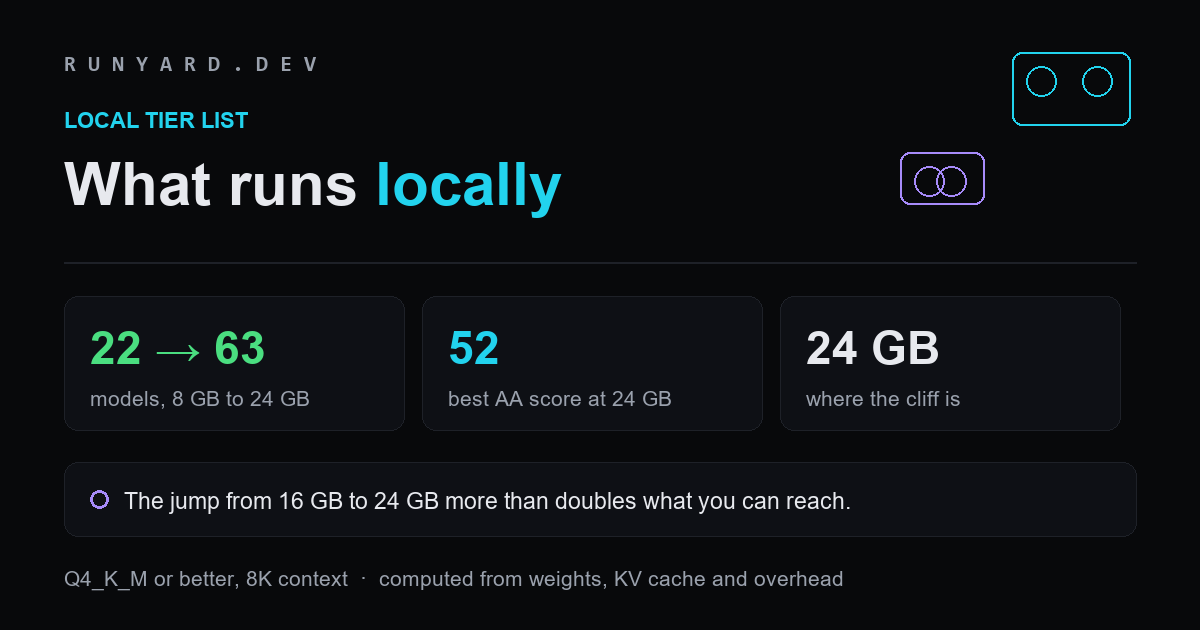
There is one number that decides what you can run locally, and it is not the model's parameter count or your CPU. It is VRAM. Below are the tiers as our catalogue actually computes them — how many models fit each card size at Q4_K_M or better, which to reach for, and where the meaningful thresholds sit. The short version: 24 GB is where local AI stops feeling like a compromise, and the step up to it matters far more than the step beyond it.
How these numbers are produced
Every figure here is computed rather than collected. VRAM is model weights, which are parameters × bits-per-weight ÷ 8, plus a KV-cache term for the context length, plus about a gigabyte of runtime overhead for the CUDA context and activations.
The tiers below assume an 8,000-token context and count only <strong>Q4_K_M or better</strong>. Q3_K_M and below fit more models on paper but show visible degradation, so counting them would overstate what each card genuinely does well. A longer context costs more than the table says; a shorter one costs less.
The tiers
- ▸<strong>8 GB — 22 models.</strong> The entry tier, and more capable than its reputation. A 9B-class model runs at Q4_K_M in about 7.5 GB with context to spare. Genuinely useful for summarising, rewriting, boilerplate, simple edits and codebase questions.
- ▸<strong>12 GB — 34 models.</strong> The same 9B class moves up to Q6_K at around 9.9 GB, which is a real quality gain, and 14B-class models come into range. This is where local assistance stops feeling like a downgrade for everyday work.
- ▸<strong>16 GB — 41 models.</strong> A 20B-class model fits at Q4_K_M in roughly 13.7 GB, and the 9B class runs at Q8_0 with almost no measurable loss. Comfortable, and the point where long contexts stop being painful.
- ▸<strong>24 GB — 63 models.</strong> The threshold that matters. A 27B-class model fits at Q5_K_M in about 22.8 GB, and 35B mixture-of-experts models fit at Q4_K_M. Nearly three times the choice of the 8 GB tier.
- ▸<strong>32 GB — 67 models.</strong> Diminishing returns on model choice: only four more models than 24 GB. What you buy is headroom — the same 27B at Q6_K, or much longer contexts at Q4_K_M.
The 24 GB cliff, which is the actual finding
Counting models understates the step. What changes between 16 and 24 GB is not just how many models fit but how good the best one is. On Artificial Analysis's Intelligence Index, the strongest model reachable at 16 GB scores around 22. At 24 GB it is <strong>52</strong>, because 24 GB is where the 27B class lands.
For scale, GPT-6 Astra scores 61 on that index and Claude Fable 5.1 scores 66. A model you run on a single 24 GB card at no cost per token now sits within roughly nine to fourteen points of the frontier on the same measure. That is a materially different proposition from where local models stood two years ago.
The step from 24 to 32 GB, by contrast, adds four models and some headroom. If you are choosing hardware, the money is far better spent getting to 24 GB than going beyond it.
Which model to pick at each tier
Two rules cover most of the decision, and they matter more than any specific recommendation because the catalogue moves every month.
- ▸<strong>A bigger model at Q4 beats a smaller model at Q8.</strong> Spend spare VRAM on parameters before precision. This holds consistently across families.
- ▸<strong>Fit the whole model, or accept a large penalty.</strong> Offloading layers to system RAM works, but system memory is roughly an order of magnitude slower than VRAM. A smaller model that fits entirely almost always beats a larger one that does not.
- ▸<strong>Mixture-of-experts models are read differently.</strong> Capacity follows total parameters, because every expert must be resident; speed follows active parameters. A 35B MoE with a few billion active is fast to generate and still needs 35B of housing.
- ▸<strong>Context is not free.</strong> The KV cache grows linearly with context length. Doubling your window can cost more memory than moving up a quantisation level.
Why these numbers move, and how often
A tier list is a snapshot. Two forces move it, and they move in opposite directions.
New releases push capability down the tiers: a model published this quarter at 27B frequently matches what needed 70B a year ago, so the same card reaches further over time without any hardware change. Meanwhile the frontier keeps moving up, so the gap in absolute terms does not close as fast as the local numbers improve.
The practical advice is to re-check rather than memorise. The counts above were computed from our catalogue at the time of writing, and our <a href="/models">Model Explorer</a> recomputes them against the current catalogue and your specific hardware every time you open it. A tier list tells you roughly where you stand; the explorer tells you exactly.
What local models are genuinely good at
The honest framing is a split rather than a replacement. Local models do not match a frontier model on the hardest reasoning, and they do not need to for most of what gets sent to one.
Boilerplate, renaming across files, format conversion, first-draft tests, commit messages, documentation, summarising diffs and answering questions about a codebase all run acceptably on a 14B or 32B model. That work is high-volume, which is exactly what makes it expensive on a hosted model at $50 per million output tokens, and exactly what makes it free locally.
Run the volume locally, keep a frontier model for the genuinely hard problems, and the bill collapses without quality falling where it matters. Most people find the split lands near 80/20 by volume and close to the inverse by value.
What each tier costs, roughly
Tier choice is a hardware-buying decision as much as a software one, and the cost curve is not linear with capability.
- ▸<strong>8 GB</strong> is the entry point for most current cards and often what you already own. Zero marginal cost if so, which makes it the right place to test whether local inference suits your work at all before spending anything.
- ▸<strong>12–16 GB</strong> is the mid-range, and the sensible target if your use is occasional. It covers 34 to 41 models and handles everyday assistance comfortably.
- ▸<strong>24 GB</strong> is the step that changes what is possible rather than how comfortable it is. If you intend to use local models daily, this is where the money goes.
- ▸<strong>32 GB and beyond</strong> buys headroom and long contexts, not meaningfully more model choice. Worth it for very long-context work; poor value if you are chasing capability.
Second-hand cards deserve a mention here. VRAM capacity is what gates model choice, and an older card with more memory frequently beats a newer one with less for this specific purpose — a case where the usual buying advice inverts.
Beyond the model: what else your machine needs
- ▸<strong>System RAM.</strong> Aim for at least as much as your VRAM, ideally double. Model loading, offloading and the operating system all want it.
- ▸<strong>Disk.</strong> A Q4_K_M build of a 27B model is roughly 15 GB. Keeping three or four models around is a meaningful amount of SSD.
- ▸<strong>Bandwidth over cores.</strong> Token generation is memory-bandwidth-bound rather than compute-bound, which is why throughput tracks memory speed more closely than it tracks raw compute.
- ▸<strong>A runtime.</strong> Ollama for the fastest start, llama.cpp when you need control over offloading and context, LM Studio if you would rather not use a terminal, vLLM for serving many concurrent requests.
Our <a href="/models">Model Explorer</a> takes your exact GPU, RAM and backend and ranks every model that fits, which is more precise than any tier list can be. The <a href="/gpu">GPU pages</a> break the same maths down card by card, and the <a href="/lab">lab pages</a> track what each publisher has actually released as weights.
Tell it your GPU, RAM and backend, and it ranks every open-weight model that actually fits your machine.
Open the Model Explorer → →Tools
Find AI models that fit your exact hardware. Enter your specs and get a ranked list instantly.
Newsletter