Contents
Tags

We Checked Every 'Runs on 8GB' Claim. It Breaks at 9B
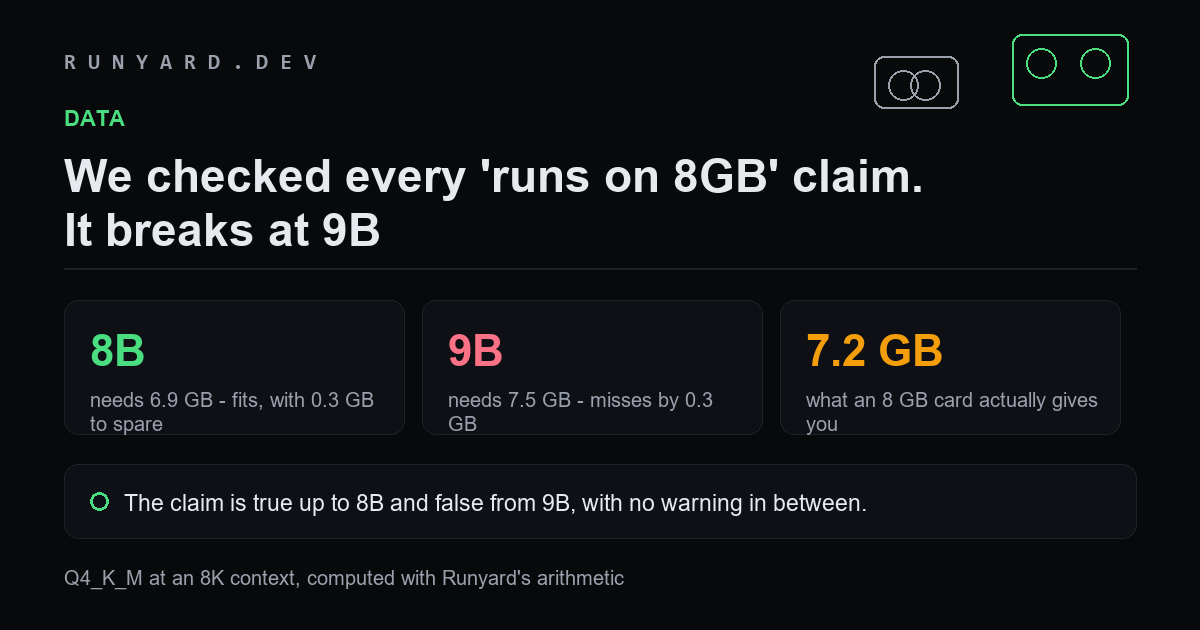
'Runs on 8GB' is the most repeated claim in local AI and almost nobody checks it. We ran every common model size through the same arithmetic to find where it stops being true.
It stops at 9B, and it stops by 0.3 GB.
The numbers
An 8 GB card gives about 7.2 GB usable once drivers and the desktop take their share. At Q4_K_M with an 8K context:
- ▸1B — needs 2.1 GB. Fits easily.
- ▸3B — needs 3.5 GB. Fits easily.
- ▸7B — needs 6.2 GB. Fits, with a gigabyte to spare.
- ▸8B — needs 6.9 GB. Fits, with 0.3 GB to spare.
- ▸9B — needs 7.5 GB. Misses by 0.3 GB.
- ▸12B — needs 9.5 GB. Not close.
- ▸14B — needs 10.7 GB. Not close.
The gap between the last model that fits and the first that does not is 0.6 GB. That is why people get contradictory advice: someone running an 8B and someone running a 9B are both telling the truth about their own machine.
What 'it runs' usually means
When someone says a 12B runs on their 8 GB card, they are typically doing one of three things, and none of them is what the reader assumes:
- ▸Running at Q3_K_M or lower, where a 12B needs 8.0 GB — still over, but close enough that a short context sneaks it in.
- ▸Running with partial CPU offload, at a few tokens per second.
- ▸Running with a 2K context, which fits but is too short for real work.
What actually to run on 8 GB
A 7B or 8B model at Q4_K_M, with the context set around 4K to 8K. That is a genuinely useful setup — it covers chat, code completion and summarising, and it runs at full speed with everything resident.
The upgrade that changes things is not 12 GB, which tops out at 14B. It is 24 GB, which reaches 27B. Between those two the model tier moves once.
Every figure here is computed the same way the calculators do it: weights are parameters times bits-per-weight divided by eight, plus a KV-cache term for your context, plus about a gigabyte of runtime overhead. Usable memory is roughly 90% of nameplate on a discrete card.
Where the extra memory actually goes
The gap between a file size and what a card needs catches people out every time, so it is worth naming the three components:
- ▸Weights — parameters times bits-per-weight over eight. The only part most people count.
- ▸KV cache — grows with context length, and on an 8 GB card it is the term that decides whether an 8B model is comfortable or marginal.
- ▸Runtime overhead — roughly a gigabyte for the CUDA or Metal context and activation buffers, before a single token is generated.
- ▸And the usable fraction — about 90% of nameplate on a discrete card, because drivers and the desktop take a share you never see.
Making an 8 GB card genuinely useful
It is a better card for local AI than its reputation suggests, provided you work with the constraint rather than against it:
- ▸Run a 7B or 8B at Q4_K_M and set the context to 4K–8K.
- ▸Enable flash attention, which helps most exactly where you are tightest.
- ▸Close the browser before loading — on 7.2 GB of usable memory, a compositor and a few tabs are decisive.
- ▸Prefer a good 8B over a squeezed 12B at Q3. The smaller model at a sane quantisation wins on both quality and speed.
The upgrade that changes your options is not 12 GB, which still tops out at 14B. It is 24 GB, which reaches 27B. Between those two the model tier moves exactly once, and that is worth knowing before spending.
Common questions
Someone says a 12B runs fine on their 8 GB card. Are they lying?
No, they are usually running Q3 or lower, a very short context, or partial CPU offload at a few tokens per second. All three are 'running'. None is what a reader assumes from the claim.
Does an 8 GB laptop GPU differ from an 8 GB desktop one?
For capacity, no. For speed, considerably — mobile parts usually have lower memory bandwidth, so the same model fits and runs more slowly.
What about 8 GB of unified memory on a Mac?
Worse than 8 GB of VRAM, because the operating system shares that pool. The usable fraction is lower, so expect to run a size smaller than this table suggests.
Is Q3 ever the right answer?
Occasionally, for a model with no smaller sibling worth using. As a general habit it is not — a smaller model at Q4 or Q5 is usually better than a larger one at Q3, and faster too.
Check any model against your own card rather than trusting a claim.
Check your hardware →Tools
Find AI models that fit your exact hardware. Enter your specs and get a ranked list instantly.
Newsletter