Contents
Tags
Ollama Ignoring num_ctx? What Is Actually Happening
You paste a long document, the model answers as though it only saw the end, and nothing errors. That is not the model being stupid — it is truncation, and it is silent by design.
Why it happens
Ollama has historically defaulted to a small context window. Anything longer than that gets cut from the front before the model ever sees it. No warning, no error, just a model answering a question it was only shown half of.
How to change it, properly
Per session, in the interactive prompt:
/set parameter num_ctx 8192Permanently, in a Modelfile — this is the one that survives restarts:
FROM llama3.1:8b
PARAMETER num_ctx 8192

# then:
# ollama create mymodel -f Modelfile
And through the API, where it goes in the options object on each request:
{
  "model": "llama3.1:8b",
  "prompt": "...",
  "options": { "num_ctx": 8192 }
}
The trap on the other side
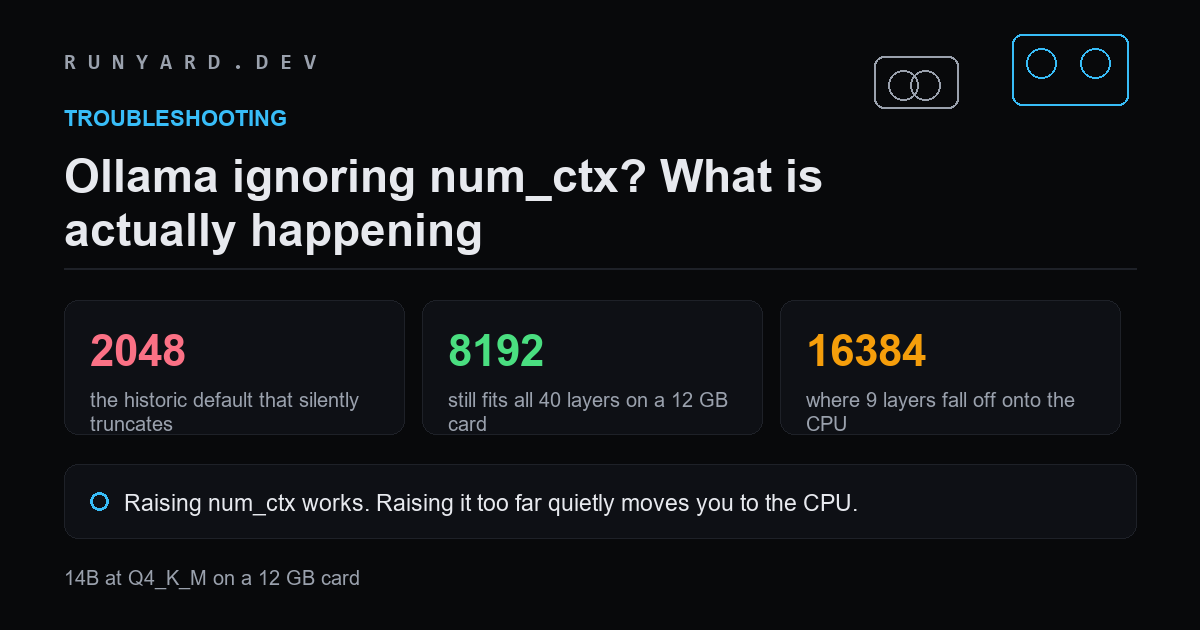
Raising num_ctx works, and raising it too far quietly costs you the GPU. On a 12 GB card running a 14B model at Q4_K_M:
- ▸num_ctx 2048 — all 40 layers on the GPU.
- ▸num_ctx 4096 — all 40.
- ▸num_ctx 8192 — all 40, with about 7.96 GB of budget left.
- ▸num_ctx 16384 — 31 of 40. The other nine move to system RAM.
So the honest advice is not 'set it as high as it goes'. It is: set it to the smallest value that holds your actual prompts. 8192 covers most chat and code work. Go higher only when you genuinely feed long documents, and expect to give up either speed or model size to do it.
Checking it took effect
ollama show mymodel --parameters
# num_ctx should be listed

ollama ps
# PROCESSOR should read 100% GPU, not a split
Every figure here is computed the same way the calculators do it: weights are parameters times bits-per-weight divided by eight, plus a KV-cache term for your context, plus about a gigabyte of runtime overhead. Usable memory is roughly 90% of nameplate on a discrete card.
Why the default is small in the first place
A small default is a safety choice, not an oversight. Ollama aims for a model that loads and runs on whatever hardware it finds, and context is the setting most likely to push a working configuration into out-of-memory territory.
The cost of that choice is silence. Truncation produces no error — the model simply answers as though it had only seen the tail of your input, which reads as the model being stupid rather than the tool being cautious.
Working out the largest value you can afford
Rather than guessing, work from what is left after the weights. On a 12 GB card running a 14B at Q4_K_M, the weights are about 8 GB and usable memory is about 10.8 GB, so roughly 1.8 GB remains for cache and overhead.
That supports around 8K comfortably. Push to 16K and layers start moving to the CPU, which costs far more than the longer context gains you.
If a long context matters more than speed, the better move is usually a smaller model with a larger window rather than a big model truncated — a 7B at 32K will often beat a 14B at 4K for document work.
Making it stick across restarts
A /set parameter change lasts for the session only. Anything you want permanently belongs in a Modelfile, and anything an application needs belongs in the request options — a Modelfile does not change what a client sends.
printf 'FROM llama3.1:8b\nPARAMETER num_ctx 8192\n' > Modelfile
ollama create mymodel -f Modelfile
ollama show mymodel --parameters    # verify it took
ollama ps                           # verify it is still 100% GPU
Common questions
Is there a maximum num_ctx?
The model's trained context length. Setting a larger value does not extend it and can degrade output, because you are asking for attention over positions the model never saw in training.
Why did raising it make everything slower?
The larger cache pushed layers to the CPU. Check ollama ps — if the processor column is no longer 100% GPU, that is the answer.
Does num_ctx affect quality at short prompts?
Not directly. A larger window that you do not fill costs memory but does not change the answer to a short question.
How do I know if I am being truncated?
Paste something long with a distinctive instruction at the very start. If the model ignores that instruction but follows one at the end, the front is being cut.
Find the largest num_ctx that keeps every layer on your card.
Size your num_ctx →Tools
Find AI models that fit your exact hardware. Enter your specs and get a ranked list instantly.
Newsletter