Contents
Tags

Mac or Nvidia for Local AI in 2026? The Answer Changed This Year
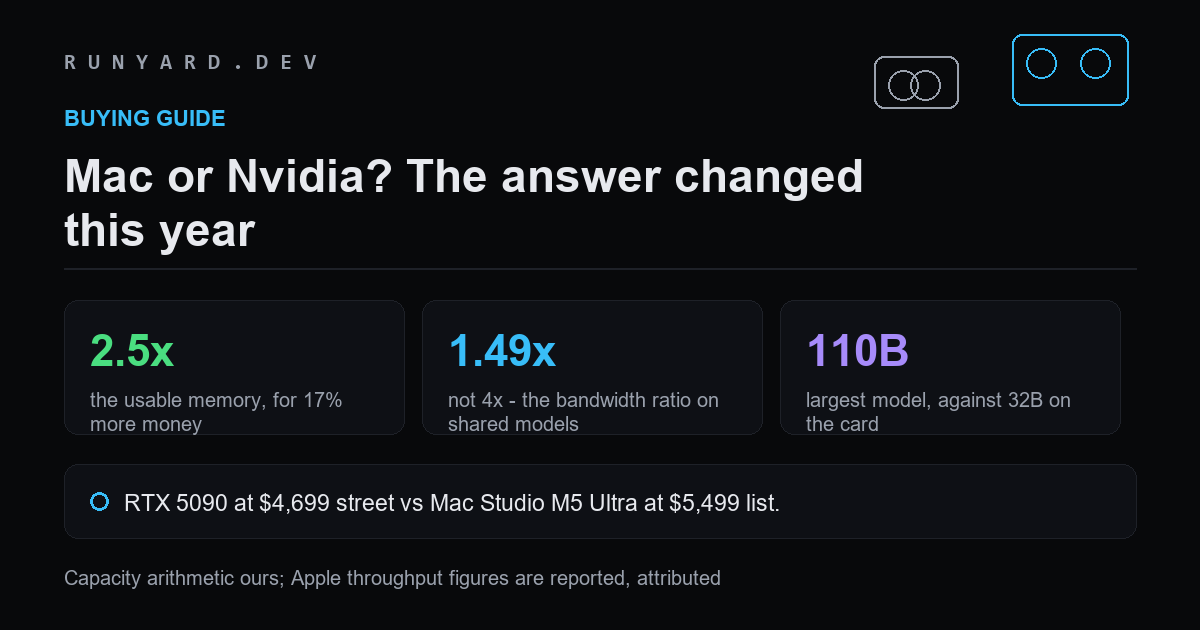
The old answer to this was easy. Macs held big models slowly, Nvidia cards held small models quickly, and you picked according to whether capacity or speed was your constraint. Two things happened this year that broke that answer: discrete card prices roughly doubled, and Apple shipped a chip with 1.2 TB/s of memory bandwidth.
Local inference is bound by two numbers and almost nothing else. Memory capacity decides which models load at all. Memory bandwidth decides how fast they generate, because producing one token means reading every active weight once. Compute throughput barely enters into single-stream decoding. So the comparison is really a two-column table, and it now reads very differently than it did in January.
The head-to-head that matters
At September 2026 prices — an RTX 5090 at its roughly $4,699 median street price against a Mac Studio M5 Ultra at its $5,499 list price:
- ▸RTX 5090 — 28.8 GB usable, 1,792 GB/s, about $163 per usable gigabyte.
- ▸Mac Studio M5 Ultra 96 GB — 72 GB usable, 1,200 GB/s, about $76 per usable gigabyte.
For 17% more money you get 2.5 times the memory at half the price per gigabyte, and you give up a third of the bandwidth. That is a completely different trade from the one Apple was offering a year ago, when the gap was capacity against a three-to-four-fold speed penalty.
Apple's memory is not priced off the GDDR7 spot market. That is the whole reason this comparison moved: one side of it absorbed a memory shortage and the other did not.
On models both can run, the gap is the bandwidth ratio
1,792 divided by 1,200 is 1.49, and because decoding is bandwidth-bound that ratio holds across model sizes. On anything that fits in 28.8 GB — which means up to about a 32B model at Q4_K_M — the card is roughly one and a half times faster. Not four times. One and a half.
For a lot of people that settles it in the card's favour, and it should. If your working model is a 14B or 27B coder and you want it instant, a discrete card is the right tool and a used 24 GB one is the cheap way to get it.
On models only one can run, there is no ratio
This is where the comparison stops being a comparison. Computed at Q4_K_M with an 8K context:
- ▸A 49B model needs about 32 GB. The 5090 cannot load it. The M5 Ultra can.
- ▸A 70B needs about 44.5 GB. Card no, Mac yes.
- ▸A 110B needs about 68 GB. Card no, Mac yes.
- ▸A 235B needs about 141 GB — beyond a 96 GB Ultra, but inside the 256 GB configuration.
A model that does not fit does not run slowly; it does not run. Once your target is past roughly 32B, the speed column stops being the thing you are choosing between and the question becomes which machine can hold it at all.
What about two cards?
Stacking is the obvious counter, and the arithmetic does not support it at current prices. Two 5090s at street price is about $9,398 for 57.6 GB of usable memory. A Mac Studio M5 Ultra with 256 GB is $9,499 — near-identical money for 192 GB, more than three times the capacity, in one box with one power cable and no tensor-parallel configuration to get wrong.
Two cards do keep the bandwidth advantage, and for serving many concurrent users that matters more than capacity. For one person running one large model, it does not.
Where each one actually wins
Buy a discrete card if:
- ▸Your models are 32B or smaller — the card is faster and cheaper.
- ▸You want maximum tokens per second on a coding model you use all day.
- ▸You need CUDA specifically: training, fine-tuning, diffusion, or any library that has never been ported to Metal.
- ▸You are serving several people at once, where bandwidth is shared and capacity per user is small.
- ▸You can find a used 24 GB card, which is the best value in local AI right now by a wide margin.
Buy Apple Silicon if:
- ▸You want to run 49B, 70B or larger without building a multi-GPU machine.
- ▸You want one portable machine rather than a desktop plus a laptop.
- ▸Power and noise matter — tens of watts against hundreds.
- ▸You are buying at the top of the market anyway, where the price per gigabyte gap is widest.
- ▸You value being able to load a model at all over loading it fastest.
The honest caveats
Three things this arithmetic does not capture, and you should weigh them.
Software maturity still favours Nvidia. CUDA runs everything; Metal and MLX run most inference well but lag on training, quantisation tooling and new research code. If you intend to fine-tune rather than only run models, that gap is real and it is not closing quickly.
Apple memory is not upgradeable. A card can be sold and replaced; a Mac's memory is the memory it will have for its whole life, so buy more than you think you need. A card also holds resale value well, which offsets a chunk of its cost in a way a laptop does not.
And our own throughput estimator is conservative for Apple. It derives tokens per second from memory bandwidth with a flat efficiency factor, which tracks CUDA closely — our estimate for Qwen3.8-27B on a 4090 is 53 tokens per second against reported real-world results of 47 to 57 — but under-states MLX by roughly a factor of two. Reported figures on an M5 Max include around 230 tokens per second on an 8B and roughly 16 on a 70B at Q8. Where this post quotes absolute Apple speeds, they are reported numbers rather than ours; the capacity arithmetic and the bandwidth ratio are ours.
The short version
- ▸Under 32B: buy a card, ideally a used 24 GB one.
- ▸32B to 70B: the Mac is now the cheaper and simpler way there.
- ▸Above 70B: it is Apple or a multi-GPU build, and Apple wins on price per gigabyte and on not being a project.
- ▸Fine-tuning or diffusion: Nvidia, regardless of the above.
- ▸Serving a team: Nvidia, because bandwidth is shared and capacity per user is small.
Put your own two candidates in and compare them on the numbers that decide inference.
Compare two devices →Or work from the model you want to run, and see the cheapest machine that holds it.
Start from the model →Tools
Find AI models that fit your exact hardware. Enter your specs and get a ranked list instantly.
Newsletter