Contents
Tags

Why Your Local Model Gets Slower the Longer You Chat
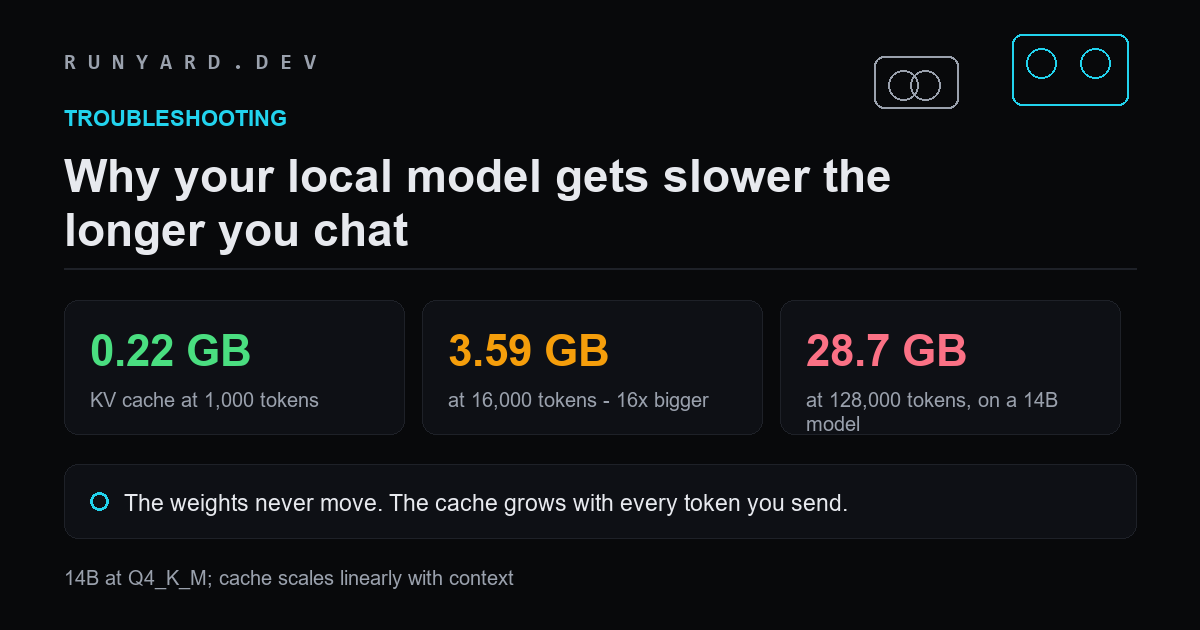
A model that felt instant at the start of a session crawls an hour later. Nothing was reinstalled and no setting changed. This is expected behaviour, and it has one cause.
The cache grows; the weights do not
Weights are allocated once when the model loads and never change size. The KV cache stores a key and value vector for every token processed so far, so it grows with the conversation. On a 14B model at Q4_K_M:
- ▸1,000 tokens — 0.22 GB of cache.
- ▸4,000 tokens — 0.90 GB.
- ▸8,000 tokens — 1.80 GB.
- ▸16,000 tokens — 3.59 GB.
- ▸128,000 tokens — 28.74 GB, which is more than twice the weights.
On a 12 GB card, that same model totals 10.67 GB at 8,000 tokens and 12.47 GB at 16,000. The first fits. The second does not, and the runtime responds by moving layers to system RAM — which is the slowdown you feel.
Why it feels like a cliff rather than a slope
Because it is one. While everything fits, speed is constant. The moment the cache pushes a layer off the card, every token has to cross into system memory and back, and that side is roughly ten times slower. There is no gentle decline — there is fine, and then there is bad.
What to do about it
- ▸Start a new conversation. This releases the cache instantly and is the fastest fix by a wide margin.
- ▸Set a context length you can actually afford up front, rather than the largest the model supports.
- ▸Enable flash attention, which reduces peak attention memory and helps more as the context grows.
- ▸Quantise the KV cache. llama.cpp supports 8-bit and 4-bit cache, halving or quartering this term for a small quality cost on long contexts.
- ▸Summarise and restart. For long working sessions, carrying a summary into a fresh conversation is faster than dragging the whole history along.
Every figure here is computed the same way the calculators do it: weights are parameters times bits-per-weight divided by eight, plus a KV-cache term for your context, plus about a gigabyte of runtime overhead. Usable memory is roughly 90% of nameplate on a discrete card. Our cache estimate is architecture-agnostic and conservative for models using grouped-query attention, which most modern ones do — so treat these as an upper bound and trust a real run over them.
Watching it happen
# Leave this running while you have a long conversation
nvidia-smi --query-gpu=memory.used --format=csv -l 5

# On a Mac
sudo powermetrics --samplers gpu_power -i 5000 | grep -i memory
You will see memory climb steadily rather than in steps. That climb is the cache, and the moment it stops climbing and throughput collapses is the moment a layer moved off the card.
The fixes, and what each costs
- ▸New conversation — instant, free, and by far the most effective. The cache is released the moment the history goes.
- ▸A summary carried into a fresh chat — keeps the useful context at a fraction of the tokens. The best habit for long working sessions.
- ▸Flash attention — reduces peak attention memory, costs nothing.
- ▸KV cache quantisation — 8-bit roughly halves the term, 4-bit quarters it, with quality cost that grows with context length.
- ▸A shorter configured context — prevents the problem rather than fixing it, at the cost of how much you can paste in.
Why the slowdown is a cliff, not a slope
While everything is resident, speed is constant — bandwidth divided by the size of the weights. Nothing about a longer conversation makes the weights slower to read.
The moment the cache pushes a layer off the card, every token has to cross into system memory and back for that layer. There is no gradual degradation: there is full speed, and then there is a fraction of it.
This is why 'it got slower' reports are almost always binary in practice. People describe a gradual decline because they noticed it gradually, but the underlying change happened at one specific message.
Common questions
Does the model get worse as well as slower?
Different question, same cause area. Very long contexts do tend to reduce answer quality, because attention thins out across a large window. That is a reason to summarise and restart even when memory is not the constraint.
Why do some models handle long chats better?
Architecture. Grouped-query attention, sliding windows and hybrid linear attention all shrink the cache dramatically. A recent model with a 128K window may cost less cache than an older one with 8K.
Does clearing chat history in the UI actually free memory?
It depends on the tool. Starting a genuinely new conversation does. Some interfaces only hide the history visually while still sending it, which frees nothing — if memory does not drop, it is still being sent.
See exactly what the cache costs at your context length.
Open the KV cache calculator →Tools
Find AI models that fit your exact hardware. Enter your specs and get a ranked list instantly.
Newsletter