Contents
Tags
The Model Sizes Nobody Should Buy Hardware For
Hardware advice usually goes model-first: pick the model, buy what runs it. That works until you pick a size that does not land cleanly on any tier — and two popular sizes do exactly that.
Where the tiers actually fall
At Q4_K_M with an 8K context, against usable memory:
- ▸32B — needs 21.8 GB. Misses a 24 GB card by 0.2 GB. Fits a 32 GB card.
- ▸40B — needs 26.6 GB. Fits a 32 GB card.
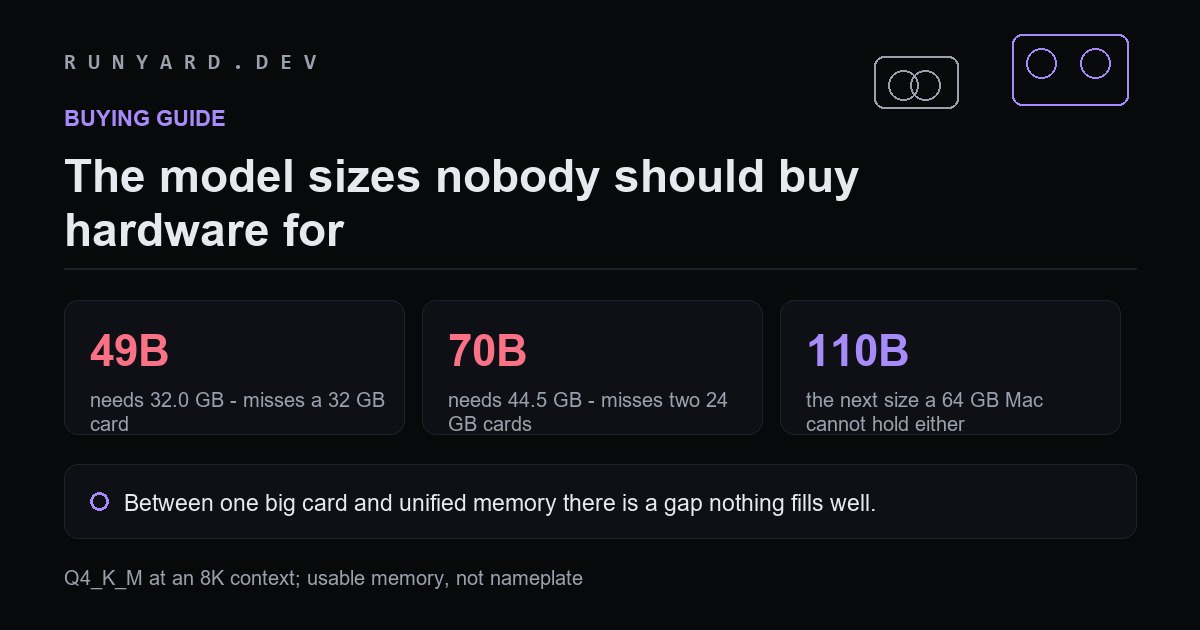
- ▸49B — needs 32.0 GB. Misses a 32 GB card, which gives 28.8 usable.
- ▸70B — needs 44.5 GB. Misses two 24 GB cards, which give 43.2 between them.
- ▸110B — needs 68.0 GB. Misses a 64 GB Mac.
49B and 70B are the dead zone. Each one lands just past a tier boundary, so the cheapest hardware that runs it is a whole category up — and the category up is roughly double the money.
Why 70B is the expensive trap
70B is the most recommended 'serious' local model, and it is the worst fit in the range. Two 24 GB cards get you 43.2 GB usable against a 44.5 GB requirement — short by 1.3 GB, which means a lower quantisation, a shorter context, or a third card.
The alternatives are all a step change in cost: a 48 GB workstation card, three consumer cards with the tensor-parallel awkwardness that brings, or unified memory at 64 GB and above where capacity is cheap and bandwidth is the compromise.
What to do instead
- ▸Run 32B rather than 49B. It fits a single 32 GB card, and the capability gap is far smaller than the hardware gap.
- ▸Run 27B on a 24 GB card, which is the best value point in the whole range.
- ▸If you genuinely need 70B or larger, go straight to unified memory rather than stacking cards. It is cheaper per gigabyte and much simpler.
- ▸Consider whether a mixture-of-experts model gets you the capability at a different memory shape — though remember capacity follows total parameters, not active ones.
The general rule
Check the requirement against the tier boundary before you fall in love with a model size. Landing 1 GB over a boundary costs roughly twice as much as landing 1 GB under it, and the difference in what the model can do is nothing like a factor of two.
Every figure here is computed the same way the calculators do it: weights are parameters times bits-per-weight divided by eight, plus a KV-cache term for your context, plus about a gigabyte of runtime overhead. Usable memory is roughly 90% of nameplate on a discrete card.
Why the boundaries fall where they do
The tiers are not arbitrary. Consumer cards cluster at 8, 12, 16, 24 and 32 GB, and unified memory jumps 32, 64, 128, 256. Model sizes cluster around 7, 14, 27, 32, 70 and 120B for reasons of training economics rather than to fit anyone's hardware.
Those two ladders were built independently, so they do not line up. The dead zones are where a popular model size lands just past a popular memory size, and 70B against two 24 GB cards is the sharpest example — short by 1.3 GB.
Ways out of the 70B trap, ranked
- ▸Run 32B instead. Fits a single 32 GB card, and the capability gap is far smaller than the hardware gap.
- ▸Run 70B at Q3_K_M, accepting documented quality loss to squeeze into 2x24. Workable, not recommended.
- ▸Shorten the context. At 4K rather than 8K the cache term drops and the arithmetic gets closer, though still tight.
- ▸Buy one 48 GB card rather than two 24s. More money, far less complexity.
- ▸Go unified memory at 64 GB or above, which is cheaper per gigabyte and needs no tensor parallelism.
- ▸Rent for the occasional 70B job and own hardware sized for your daily model. Frequently the most rational answer and the least often chosen.
The rule worth remembering when buying
Check the requirement against the tier boundary before you commit to a model size. Landing 1 GB over a boundary costs roughly twice as much in hardware as landing 1 GB under it, and the difference in what the model can actually do is nothing like a factor of two.
Common questions
Is 70B really that much better than 32B?
Better, and not by the margin the parameter count suggests. A well-trained recent 32B beats an older 70B on most tasks. The honest comparison is between specific models, not sizes.
Do two 24 GB cards really give only 43.2 GB?
Yes. Usable memory is about 90% of nameplate on each, and the two do not pool perfectly — tensor parallelism also wants matched cards and prefers powers of two, so three cards is awkward even when the total looks sufficient.
What about MoE models in this range?
They do not help with capacity. A mixture-of-experts model needs all its parameters resident regardless of how few are active per token, so a 70B MoE has the same memory problem as a 70B dense one, with better speed.
Does a longer context make the dead zone worse?
Yes, and it is the usual reason a configuration that should fit does not. At 32K rather than 8K the cache term grows several gigabytes, which on a model already sitting at a boundary is decisive.
Find the cheapest hardware that actually holds the model you want.
Start from the model →Tools
Find AI models that fit your exact hardware. Enter your specs and get a ranked list instantly.
Newsletter