Contents
Tags

Is GPT-6 Astra Down? How to Tell in 60 Seconds
When GPT-6 Astra stops responding, the instinct is to check whether OpenAI is down. That is the right instinct and usually the wrong first step, because most Astra failures are account-level rather than platform-level, and the status page cannot see your account. Here is a diagnostic order that isolates the cause in about a minute, and what each outcome actually means.
Read the error code first
The status code tells you more than any dashboard, and it takes no time to read.
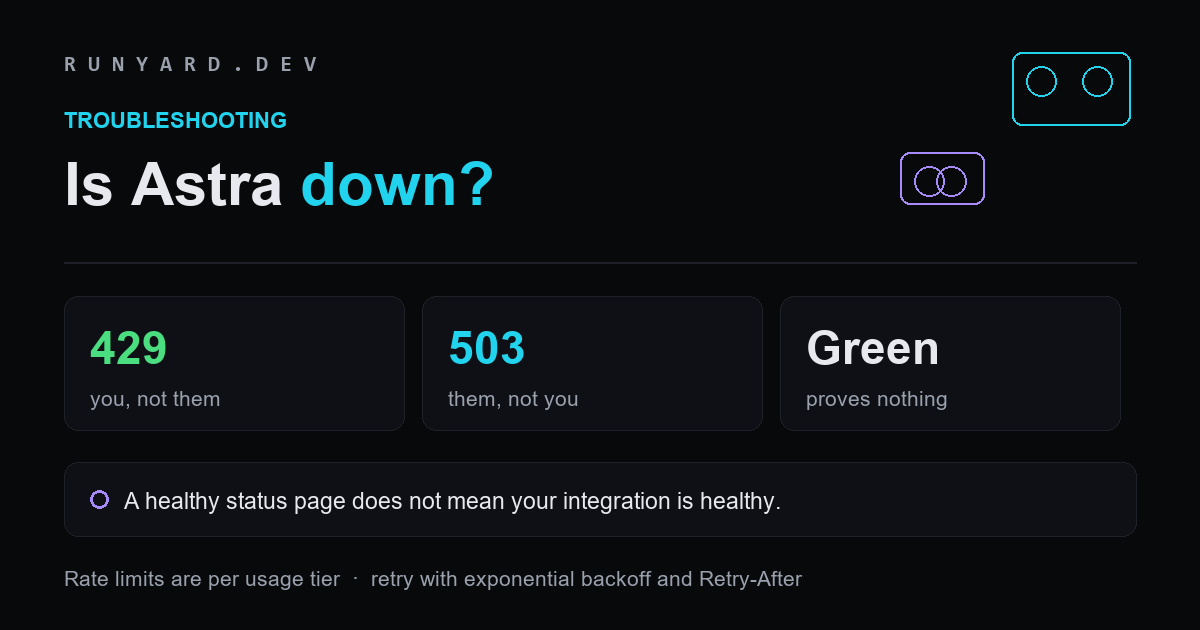
- ▸<strong>429</strong> — almost always your side. It covers rate limits, an exhausted prepaid balance, and spending or usage caps. A 429 with a <code>slow_down</code> indication means your request rate rose faster than the service will safely accept.
- ▸<strong>500 or 503</strong> — almost always their side. These are capacity and internal errors, and they are the ones worth retrying and worth checking a status page for.
- ▸<strong>401 or 403</strong> — credentials or permissions, not availability. An expired key or a workspace that never had Astra enabled produces this, not an outage.
- ▸<strong>400</strong> — your request. On Astra specifically, check whether you are calling an unsupported endpoint: Realtime, Assistants, fine-tuning, embeddings and image generation do not support this model at all.
That last one catches people migrating from another model. A 400 on an endpoint that worked yesterday with a different model id is not an incident; it is Astra not supporting that surface.
Why the status page is necessary but not sufficient
OpenAI's status page is the right place to confirm a platform incident, and you should check it. But it reports availability in aggregate, across tiers, models, regions and error types. A green board is entirely compatible with your specific project failing for a model-specific, region-specific, quota, authentication or rate-limit reason.
So the correct reading of a green status page is not “it is not them”. It is “there is no incident large enough to report”. Those are different claims, and confusing them is how teams spend an afternoon looking in the wrong place.
The Astra-specific causes that look like an outage
Four things about this model in particular produce failures that resemble downtime and are not.
- ▸<strong>Your usage tier's token budget.</strong> Astra's rate limits scale sharply: Tier 1 allows 500 requests and 500,000 tokens per minute; Tier 5 allows 15,000 requests and 40 million tokens. Against a 1,050,000-token context window, a Tier 1 account cannot fit one maximum-length request inside its per-minute budget at all. That reads as a broken API and is a quota.
- ▸<strong>Enterprise workspaces have it off by default.</strong> An administrator must enable the model. Until then it is absent rather than failing, which is easy to misread as a regional rollout problem.
- ▸<strong>The rollout was staged.</strong> Access began with enterprises in OpenAI's Trusted Access Program before reaching general plans, so colleagues at different organisations genuinely had different availability for a period.
- ▸<strong>Safety refusals return successfully.</strong> A declined request is not an error code. If you are handling only HTTP failures, a refusal can surface as an empty or unexpected response and look like a malfunction.
A 60-second diagnostic order
Run these in order and stop at the first one that explains the behaviour.
- ▸<strong>1. Read the status code and error body.</strong> It usually names the cause outright, and everything below is confirmation.
- ▸<strong>2. Retry once with backoff.</strong> If a 500 or 503 clears on retry, it was transient capacity and there is nothing to fix.
- ▸<strong>3. Check your usage and limits.</strong> Rate limits, spending caps and balance explain the overwhelming majority of 429s.
- ▸<strong>4. Try a different model on the same key.</strong> If another model works, the platform is up and the problem is specific to Astra or to your access to it.
- ▸<strong>5. Now check the status page.</strong> By this point you know whether you are looking for confirmation of a platform incident or ruling one out.
Step 4 is the one people skip and the one that resolves ambiguity fastest. It separates “OpenAI is down” from “I cannot use this model” in a single request.
If it is genuinely an incident, what usually happens
Platform incidents on a frontier model tend to follow a shape worth knowing, because it tells you whether to wait or to route around.
- ▸<strong>Elevated error rates before full unavailability.</strong> Capacity problems rarely arrive as a clean outage; you usually see intermittent 503s climbing first, which is your cue to fail over rather than retry harder.
- ▸<strong>Newest models degrade first.</strong> Capacity is tightest on the most recent release, so a model launched days ago is more exposed than a mature one. Falling back to an older model on the same platform is often enough.
- ▸<strong>Latency rises before errors do.</strong> If your p99 has doubled, treat that as an early warning rather than waiting for failures.
- ▸<strong>Recovery is gradual.</strong> Services usually come back under load management, so the first successful request does not mean full capacity has returned.
The operational conclusion is to instrument latency and error rate rather than relying on a status page to tell you something is wrong. By the time an incident is posted, you have usually been degraded for a while.
Retry properly, or make it worse
The standard advice is standard because it works: retry with exponential backoff plus a small random jitter, and if the response carries a <code>Retry-After</code> header, wait at least that long before trying again.
Retrying immediately and in a tight loop on a 429 is actively harmful. It raises your request rate at exactly the moment the service is telling you to lower it, and on a shared account it can push colleagues into the same error. Jitter matters too: without it, every client that failed at the same moment retries at the same moment, which reproduces the spike that caused the problem.
Build for the outage before it happens
Three cheap patterns turn an incident from a firefight into an inconvenience, and all of them are easier to add before you need them.
- ▸<strong>Configure a fallback model.</strong> One config value and a retry path. The fallback does not have to be as good; it has to be available.
- ▸<strong>Separate interactive from batch work.</strong> Batch work can queue and retry for hours without anyone noticing. Interactive work cannot, so give them different failure behaviour rather than one shared policy.
- ▸<strong>Log token counts and error codes from day one.</strong> When something breaks, the question is always whether behaviour changed or volume did, and only your own logs answer it.
None of this is specific to Astra. It is the difference between a provider incident costing you an afternoon and costing you a config change.
What to do while you wait
Outages are a good argument for not having a single point of failure in the first place. Three fallbacks, in rough order of how quickly you can reach for them.
- ▸<strong>Another hosted model.</strong> Claude Fable 5.1 lists at the same $10 and $50 per million tokens and leads both independent composites. GLM-5.3 costs about a seventh as much. Neither shares OpenAI's failure domain.
- ▸<strong>A locally hosted model.</strong> The only option with no shared failure domain at all: no rate limits, no capacity errors, no staged rollout and no admin toggle.
- ▸<strong>A queue.</strong> If the work is not interactive, failing into a retry queue rather than to the user turns an outage into a delay.
The local option is the one people underrate. A 32B-class model fits a 24 GB card at Q4_K_M, a 14B fits 16 GB, an 8B runs on 8 GB — and none of them can be switched off by somebody else. Our <a href="/models">Model Explorer</a> ranks what your machine holds, and our <a href="/blog/what-runs-locally-2026-gpu-tier-list">tier list</a> covers what each card reaches.
It is not hypothetical, either. Claude Fable 5 was suspended worldwide for 19 days in June 2026 under an export-control order, and returned on 1 July. A well-run provider with every incentive to stay up still went dark for reasons entirely outside its control.
Tell it your GPU, RAM and backend, and it ranks every open-weight model that actually fits your machine.
Open the Model Explorer → →Tools
Find AI models that fit your exact hardware. Enter your specs and get a ranked list instantly.
Newsletter